

Best ATM Accessibility Features for Real Fleets

An ATM can meet a purchasing specification and still fail a customer at the curb. A blocked approach path, a worn tactile marker, an audio jack that no longer works, or a software prompt that times out too quickly can make a deployed terminal unusable. The best ATM accessibility features are therefore not a single hardware checklist. They are a coordinated set of physical, interface, audio, and service controls that remain effective throughout the terminal’s life.
For financial institutions, deployers, and service organizations, accessibility should be treated as an operational requirement alongside availability, security, cash reliability, and network performance. The relevant question is not simply whether a model supports accessibility. It is whether the chosen configuration, site conditions, software image, and maintenance program support independent use in the field.
Best ATM Accessibility Features Start With Independent Use
The strongest accessibility designs allow a person to locate the terminal, begin a transaction, understand each prompt, complete key actions, and recover from an error without needing assistance. That standard brings several features into scope at once.
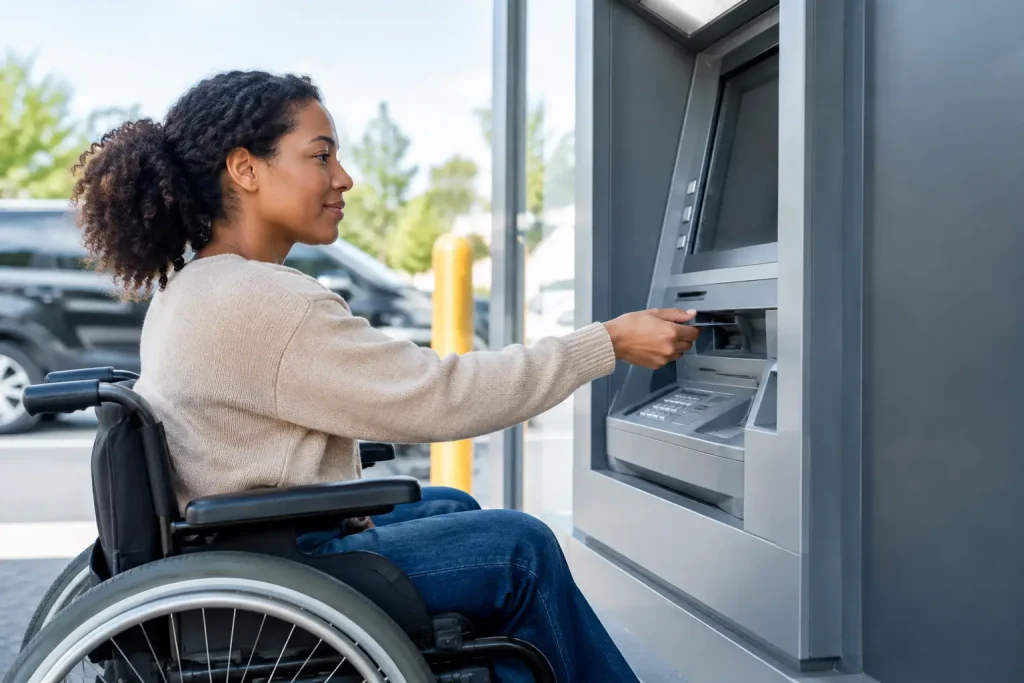
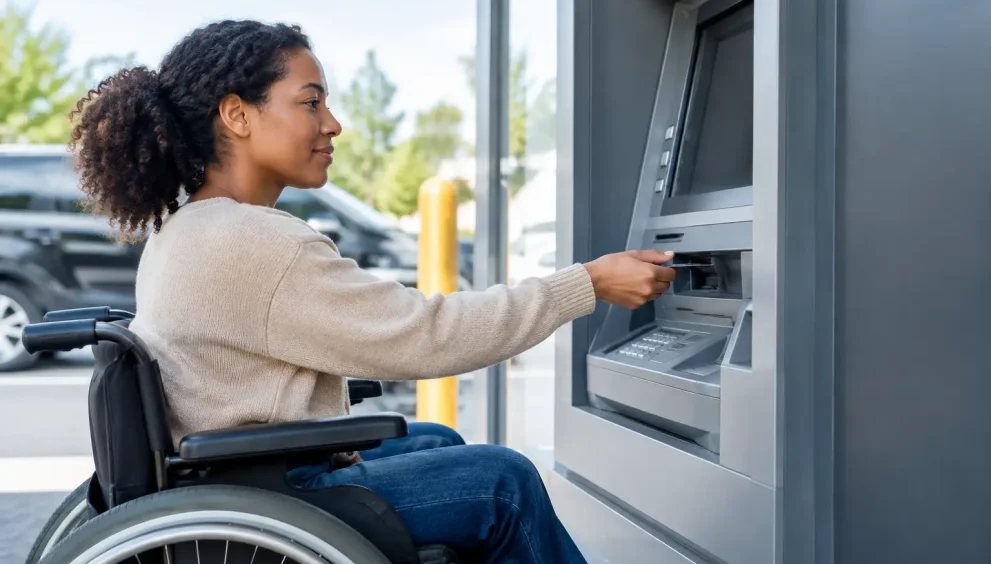
A clear and usable approach is the starting point. The terminal must be positioned so a wheelchair user can reach the controls, card interface, cash exit, receipt printer, and any privacy shield without overreaching or being obstructed by bollards, planters, queue rails, door swings, or temporary signage. This is often a site-design problem rather than an ATM-model problem. A technically compliant terminal can become inaccessible when an exterior vestibule is reconfigured or a nearby curbside space is used for storage.
Reach and operability also need to account for real transaction sequences. It is not enough that one control falls within an allowable range if the customer must repeatedly stretch to alternate between a display, keypad, card reader, and cash presenter. Service teams should test the full transaction from a seated position during acceptance, not merely measure cabinet dimensions.
Tactile Controls Still Matter
A tactile keypad with discernible keys, clear orientation, and an identifiable number 5 remains fundamental. Physical input provides a dependable alternative to touch-only interaction for users who cannot see a screen or who have limited precision. Buttons should have sufficient contrast, clear labels, and consistent positions across the user journey.
Touchscreens can improve visual flexibility and reduce cabinet complexity, but they need an equivalent nonvisual operating method. A touchscreen that presents critical functions without accessible tactile input creates an obvious exclusion risk. Hybrid designs can work well when physical keys, function buttons, or a properly implemented accessible mode remain available and are supported by the application.
Physical controls create their own maintenance exposure. Sticking keys, broken overlays, misaligned function keys, and degraded labels may appear minor during a standard service call, yet each can prevent a transaction. Accessibility checks should be explicit items on preventive-maintenance and first-line inspection forms.
Speech Output Is a System, Not an Audio Port
Speech guidance is central to accessible ATM use for blind and low-vision customers. It should provide meaningful instruction at each stage of the transaction, including card insertion, PIN entry, amount selection, error handling, cash collection, receipt choices, and card retention events. Audio that only reads selected prompts is not enough when a user cannot determine the next action or diagnose a failed transaction.
A private listening method is equally important. Headphone connections are a familiar option, but their presence does not guarantee a usable experience. Connectors can loosen, become contaminated, or fail after repeated use. The jack’s location must be easy to find by touch, and the application must reliably detect insertion and shift to the correct audio mode. Volume controls and an adjustable speech rate can materially improve usability for a broad range of customers.
Service organizations should include a known-good headset in field test kits and verify more than audio output. The test should confirm that guidance starts at the right point, follows the transaction state correctly, and does not expose sensitive information to bystanders. Audio features introduce a privacy trade-off: open speakers may help some users but can create unacceptable disclosure risk in public locations. Private audio remains the more defensible default.
Display Design Must Work in the Environment
A large display alone is not an accessibility feature. Readability depends on contrast, type size, glare, viewing angle, ambient lighting, screen condition, and the way information is organized. Exterior terminals face direct sun, headlight glare, condensation, scratched privacy films, and reduced display brightness. Those conditions can turn an otherwise legible interface into a difficult one.
Accessible visual design favors high contrast, readable text, plain-language prompts, and screen layouts that do not force users to scan dense information under time pressure. Color should not be the sole means of conveying status or errors. A declined transaction, for example, should be communicated through explicit text, clear audio where enabled, and a recovery path rather than a red indicator alone.
Timeout behavior deserves more attention than it often receives. Customers using speech guidance, magnification, alternate input methods, or one-handed operation may need additional time. Longer timers can affect throughput and, in some deployments, increase exposure if a user walks away. The practical answer is usually configurable timing with clear warning prompts and a safe way to extend the session, rather than a rigid network-wide setting.
Accessible Transaction Flows Reduce Abandonment
Hardware features can be undermined by application design. Every screen should keep controls and terminology consistent, explain what has happened, and make the next action apparent. Error messages should distinguish among invalid entry, network delay, cash availability, card-read failure, and transaction decline wherever the system can do so safely.
A useful test is whether a customer can recover independently after an expected exception. If the cash is not taken, does the terminal explain the outcome through the available accessible channels? If a card is retained, can the customer understand the reason and the next step? If a receipt is unavailable, is the transaction status still clear? These are operational questions with direct implications for disputes, call-center contacts, and site-level assistance requests.
Accessible flows should also avoid unnecessary complexity. Requiring users to navigate promotional screens, choose among ambiguous options, or confirm the same selection multiple times adds friction for every customer and disproportionately affects those relying on audio guidance or assistive interaction. Reducing steps is not simply a design preference. It can improve completion rates and reduce the time a customer is exposed at the terminal.
Field Readiness Determines Whether Features Survive
The most effective accessibility specification is paired with disciplined deployment and service processes. This includes pre-install site surveys, documented configuration standards, acceptance testing, and clear ownership for defects that fall between hardware, software, facilities, and network teams.
A practical inspection program should verify at least the following:
- Clear approach paths and access to all customer-facing components
- Tactile keypad operation, key identification, and control labeling
- Headphone jack detection, speech guidance, volume, and transaction coverage
- Display readability, prompt contrast, and accessible timeout behavior
- Cash, card, and receipt presentation that can be reached and understood
- Error and exception flows, including retained-card and cash-retract scenarios
This work should not be limited to new installations. Software upgrades can change audio prompts, screen order, localization, timeout settings, or the behavior of accessible modes. Cabinet retrofits can alter reach positions. Site repairs can introduce obstructions. Accessibility regression testing belongs in change control, particularly when an estate uses multiple ATM generations, application versions, or managed-service partners.
Remote monitoring can help identify related failure patterns, but it has limits. A terminal may report healthy peripheral status while its audio guidance is incomplete, its display is unreadable in afternoon sunlight, or a physical obstruction has appeared at the site. Field validation remains necessary.
Specify for the Fleet You Can Maintain
There is no universal best configuration. A high-volume exterior drive-up, an enclosed branch vestibule, a transit location, and a cash recycler in a shared branch each present different constraints. The right choice depends on customer use patterns, site geometry, ambient conditions, transaction mix, security controls, and the capability of the service model.
For example, a feature that depends on a specialized replacement part may be difficult to sustain across a geographically dispersed fleet. A complex interface can be accessible in a lab but unreliable when local teams lack a repeatable method to test it after software changes. Standardization across hardware and application versions often produces better accessibility outcomes than a collection of optional features that are configured differently at every location.
Financial institutions should also separate legal conformance from operational performance. Applicable accessibility obligations, building requirements, and local conditions should be reviewed with qualified compliance and legal teams. But meeting a minimum requirement does not establish that a terminal is practical to use. Field observation, customer feedback, and documented exception testing reveal issues that dimensional reviews miss.
The useful closing measure is simple: when a customer encounters the ATM alone, under ordinary site conditions and during a non-routine event, can they finish the transaction safely and with dignity? Designing and maintaining for that answer will improve accessibility more than any isolated feature claim.